

17 March 2026
4GL editor
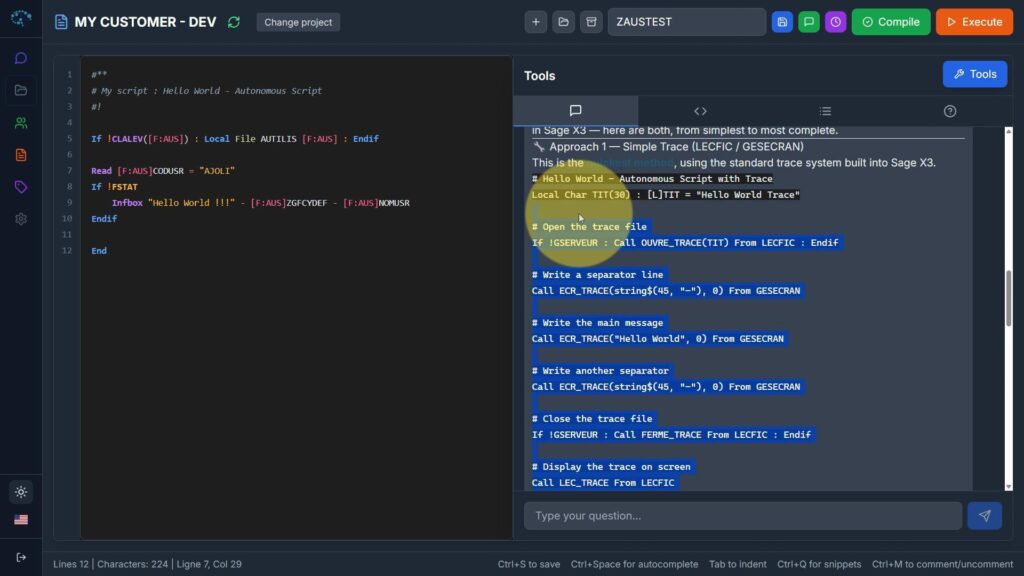
What if you could write, compile, and run 4GL scripts without ever leaving your browser?
That’s exactly what the new online X3Code Editor does, directly integrated into ChatX3.
If you develop on Sage X3, you know the pain: endless Eclipse installations, juggling VPN access, burning “Badge” licenses, and losing code due to a wrong move.
With Laurent and the IntellX team, we decided to change the rules. Here is why this editor will become your main tool.
🌐 1. A 100% Web & Connected Environment
No more virtual machines. A single click connects ChatX3 to your Sage X3 folder. You develop from anywhere, with a modern and lightweight IDE.
🤖 2. AI-Augmented Code
Why type 50 lines when AI can do it for you? Generate 4GL code blocks instantly from a simple sentence. The editor also features advanced autocomplete and smart contextual help for 4GL keywords and instructions.
⚡ 3. Live Compilation & Execution
This is the real Game Changer. You no longer need to switch between the editor and the ERP. You write, compile, and run your script directly from your browser into your X3 instance. The time saved is massive.
🔄 4. Smart Synchronization with Your Customizations
The editor isn’t disconnected: it knows your folder. Custom tables, fields, and screens are automatically synchronized. The editor understands your specific working environment.
📜 5. Native Versioning (The End of Workarounds)
Managing versions with export patches is over. The editor includes a complete history of your scripts with a side-by-side visual comparison (diff). You will never lose a line of code again.
📺 Video Demonstration
In this video, we show you the complete process: from project setup to patch installation, script creation, compilation, and live execution.
[Insert Youtube video here]
4GL expertise deserves a modern IDE. The editor is live and ready to use.
👉 Test it right now: https://chatx3.com